Here, we will demonstrate how to use a USB printer on the WinPAC. After connecting the USB printer, open a text file on the WinPAC file, click file menu and choose print so you can open the printer setup page. Set up the printer according to this video. Now you can print via our WinPAC controller!

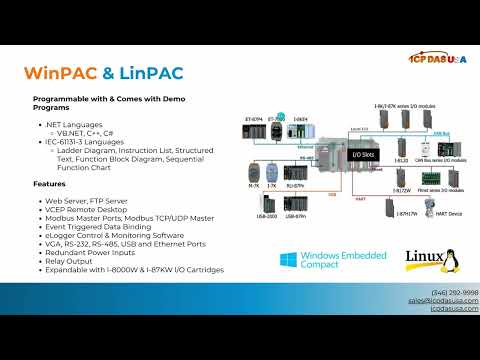
WinPAC-8000 is our second generation Programmable Automation Controller. It is equipped with a PXA270 CPU (520MHz) running a Windows CE.NET 5.0 operating system, variant conductivities (VGA, USB, Ethernet, RS-232/485), and 1/4/8 slots for high performance parallel I/O modules (high profile I-8K series) and serial-type I/O modules (high profile I-87K I/O modules).