FREE $30.00 Visa Gift Card with CODE: VISA for registered customer's FIRST-TIME purchase.

Cage/NCage Code 3FNF0

Orders ship within a week!

DOWNLOAD INDUSOFT WEB STUDIO

SCADA control and monitoring software that you can use to generate reports, show the status, implement control, send email alarms and log data.

FREE TRIAL
Monitor, Control,
Maintain Efficiency,
Process Data, Reduce
Downtime and More!

Indusoft

Indusoft Web Studio Software allows for building a customized control and monitoring system. You can use it to connect to any device or PLC with an easy to use interface. Hundreds of drivers are provided for integrating your PLC’s, data acquisition devices and controllers including our I-7000, I-8000, I-87K, M-7000, ET-7000, and PET-7000 Data Acquisition modules.

You can access your Indusoft HMI and SCADA applications from any device through a web browser. Indusoft runs on Windows and Linux based devices and allows you to see the status of your system on a screen, see historical trend information and measurements and control your system through a user interface. You can log data, send email and SMS alerts based on conditions, use VBScript control logic and email reports based on a schedule

Save Time

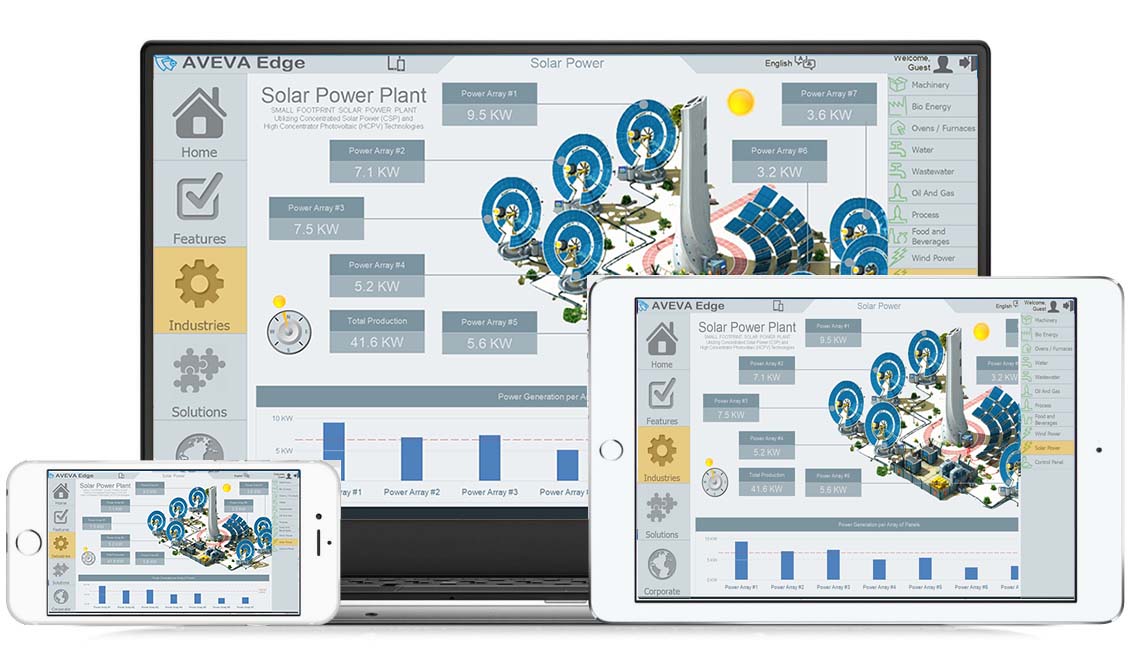
View your process using a standard browser (Internet/Intranet with XML support) from your workstation or any web-enabled mobile device.

Save Money

Any Microsoft-supported platform, including Windows CE, Mobile, XP Embedded, and Server versions, can be used with a single development effort. InduSoft IoTView also supports Linux* and VxWorks.

Flexibility

With more than 250 drivers, your PLC or controller is supported, along with OPC (client and server) and TCP/IP.

Fill our the Form to get Free Indusoft Trial, Access to our version library and documentation.

Features

Email & SMS

Send status or alarm emails (with attachments) or text message

Alarm

Log alarms and send notification alerts by SMS & Email

VBScript

Use built-in functions and VBScript for triggering events, manipulating data and more

User Interface

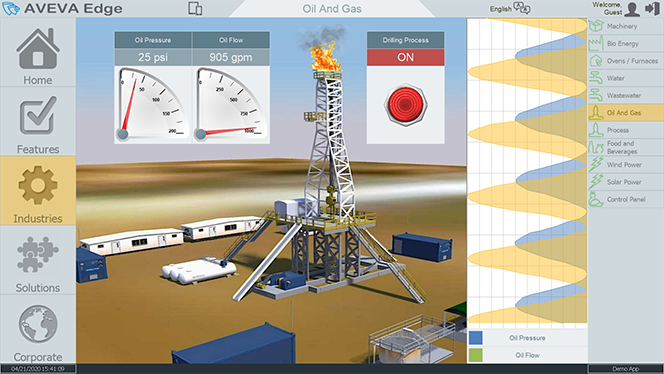
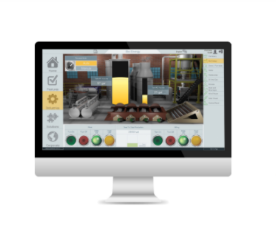
HMI User Interface for control and Monitoring

Security

Use Group and User Accounts for secure access and traceability

Mobile Access

Access SCADA system from a web browser or included Phone App

Report

Create, send and store customized reports

Tutorial Videos

Tutorial videos for easy set up and management

Remote Accessibility for Remote Monitoring & Control
A multiple document interface for this thin client allows you to access your graphical interface from any device with a browser that supports HTML5, such as iPads, iPhones, Android devices, Windows devices, and others. Indusoft includes support for Industrial Graphics and all native objects and allows you to integrate 3rd party web-based controls.

Alert & Alarm Notifications
Send online alarms or reports using multimedia formats like PDF. Alarms are real-time and historical; log data in binary format or to any database. Use remote notification to send alarms right to your inbox, printer, or smartphone. Custom Alarm fields allow you to customize up to 10 additional fields to the alarm history.

Supports FTP Data Retrieval
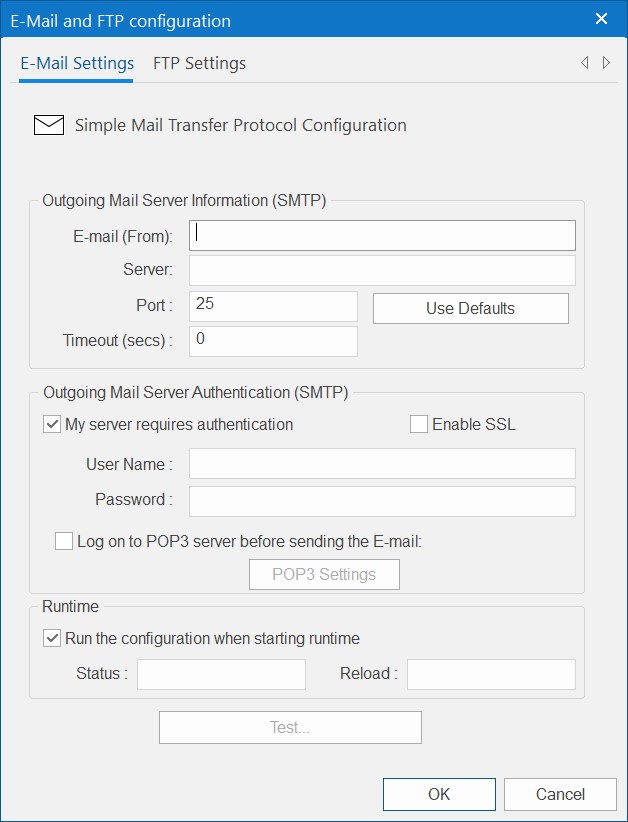
Automatically upload or download files during runtime to/from remote storage locations using the FTP protocol and flexible scripting functions. Configure FTP via scripting or the included interface.

Supports Sending Emails & Text Messages with Real Time Data
Send email (with attachments) or text messages that can be accessed from mobile devices. Get realtime information on alarms, process values, and other events. Full runtime supports SSL encryption.

FDA Traceability
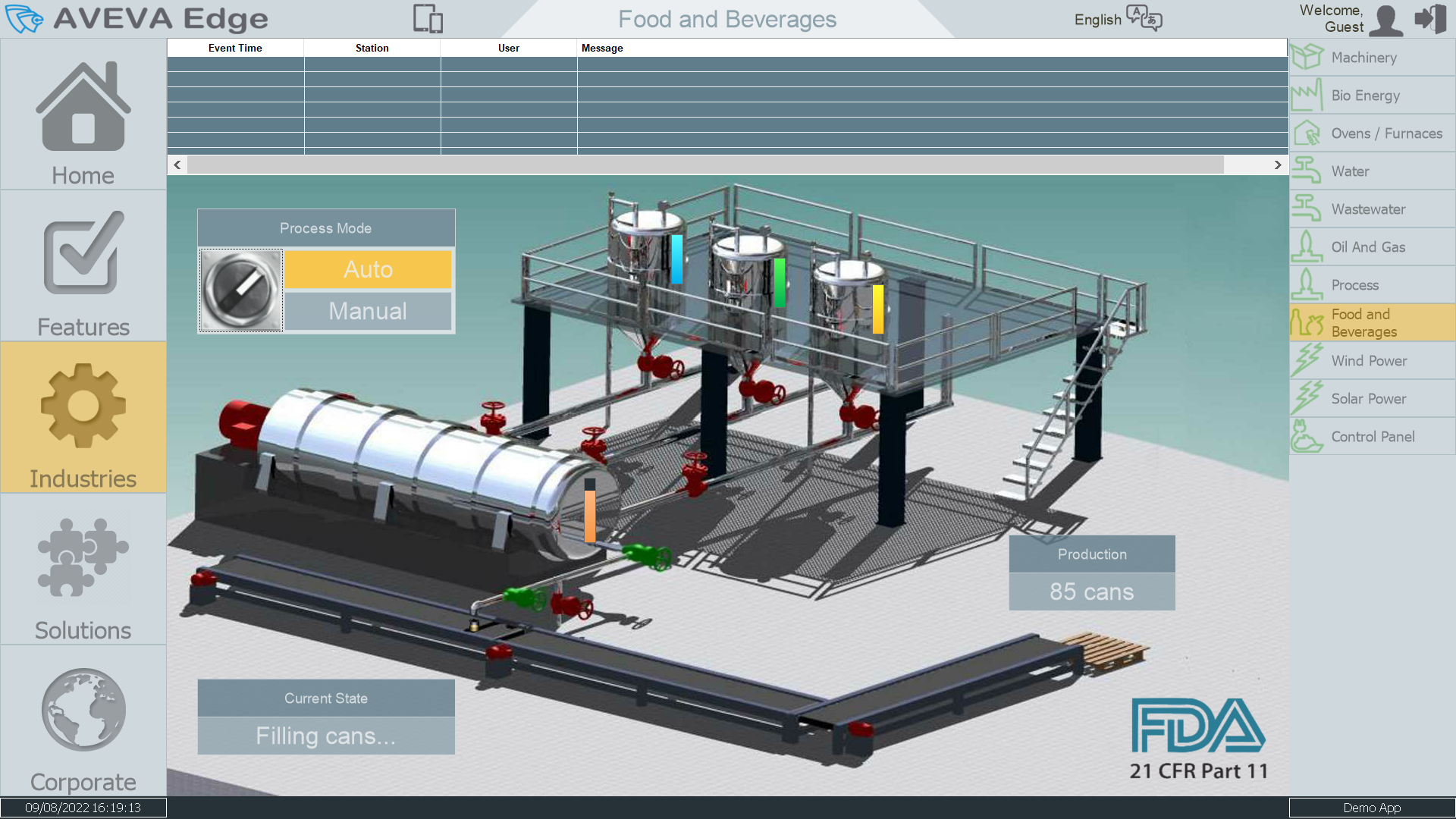
Take advantage of built-in functionality to create 21 CFR part 11 compliant projects with traceability and e-signatures. These features are often used for pharmaceutical and food applications but can be used for any application where traceability is a requirement.

Extensive Communication Driver List for PLC’s, DAQ, Controllers & More
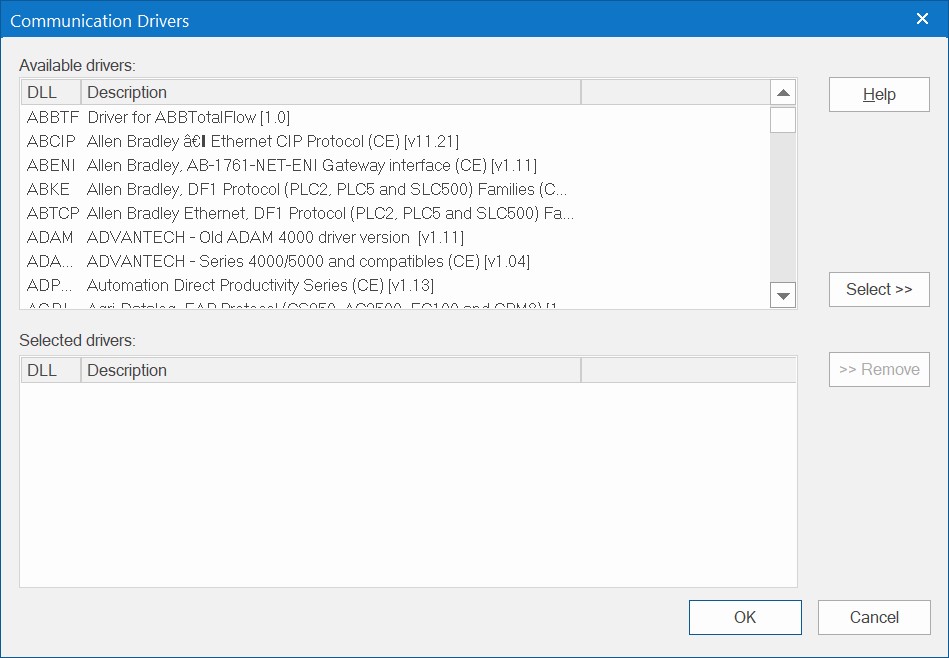
Use over 250 native communication drivers for PLCs, temperature controllers, motion controllers, bar code/2D/RFID readers, and many others such as MQTT (with Sparkplug B) and robots. Use native drivers, connect to an OPC server, or use Indusoft driver toolkits even to build your own drivers. Save time with comprehensive tag integration.

Supports Connection to SQL, Access or Excel Databases and Systems
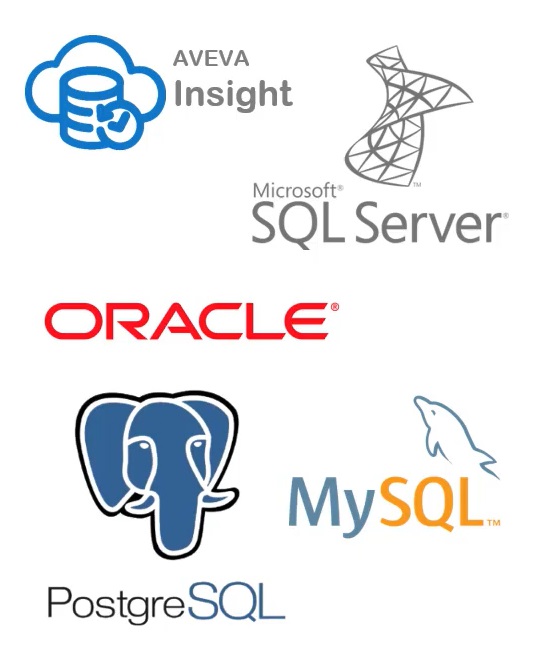
Connect to any SQL database (Microsoft SQL, MySQL, Sybase, Oracle), or Microsoft Access or Excel, and ERP/MES systems (including SAP), even from Windows Embedded Compact Edition. The flexible built-in interface doesn’t require knowledge of SQL. A patented solution allows for communication with SQL and relational databases running on any supported platform.

Multi-Language Support
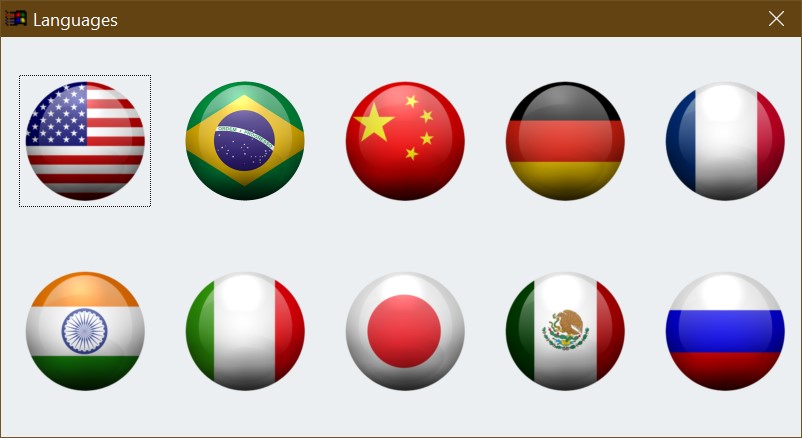
Develop your application in one of many development languages, including English, Portuguese, German, French, Russian, Chinese Traditional and Simplified, Japanese and Spanish, or use translation tools to switch the runtime to any language. Indusoft offers automatic font replacement based on the language selected.

Supports Redundancy, Scripting, Scheduling Operations & More
For critical applications where data is vital, Indusoft supports web server, database and overall system redundancy to protect your information. Three powerful scripting languages are supported. The scripting languages can be used simultaneously to give you the functionality you need, even from thin clients. Schedule application behavior triggered by tag changes, date/time, frequency, or any trigger

Graphics Library
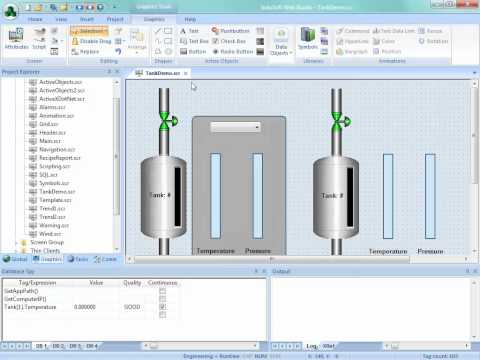
Extensive graphics library includes animations, button, objects, equipment and tools. Also comes with a graphics editor

Training Classes

ICP DAS Offers online and in office training classes. Class attendees may personalize their classes and cater the training to fit their application or project. These classes are only available to be scheduled from 8:00AM to 5:00PM on weekdays. For In-Office classes, lunch is provided and the attendees will need to pay for their travel expenses to our office. For Online classes, attendees will attend training via Zoom Video Call.

In-Office Training

Day 1
  • Introduction to INDUSOFT WEB STUDIO Software
  • Build a Simple Application with a Slider, Bar Graph, Button and Lamp
  • Creating User Interfaces with INDUSOFT WEB STUDIO Software
  • Introduction to Data Acquisition Equipment
  • Morning Break
  • Using Modbus Data Acquisition Equipment and Drivers with Indusoft
  • Modbus Data Logging & Trend Curves with SCADA
  • SCADA Software Best Practices
  • Lunch Break (Lunch Provided for In Person Training)
  • Using Data Communication Equipment with SCADA
  • Using Alarms, Recipes and Scripting
  • Afternoon Break
  • SCADA Images, Backgrounds & Animations
  • Indusoft Application Exercises

In-Office Training

Day 2
  • Review of INDUSOFT WEB STUDIO Software
  • Build an Application with Objects
  • Build a Data Logging System with Data Acquisition Equipment
  • Generating SCADA Reports
  • Morning Break
  • Remote Monitoring and Remote Access  
  • Build a Remote Monitoring System
  • Lunch Break (Lunch Provided for In Person Training)
  • Use SCADA Software with Touch Screen PLC’s
  • Hands On Using SCADA Software
  • Afternoon Break
  • Training Review

Tutorial Videos

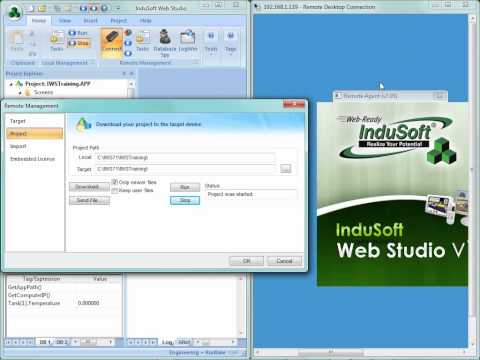
Indusoft Training – Remote Management

Remote Agent Remote Management Connection Downloading to a Remote Runtime…

Watch Tutorial Video

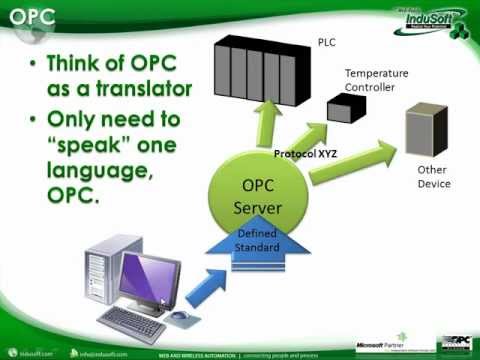
Indusoft Training – OPC

What is OPC? What Technologies Does IWS Support? Optional OPC…
Watch Tutorial Video

Indusoft Training – Security

Security Overview Configure Groups/Users Security with Objects Password Protecting Screens…
Watch Tutorial Video

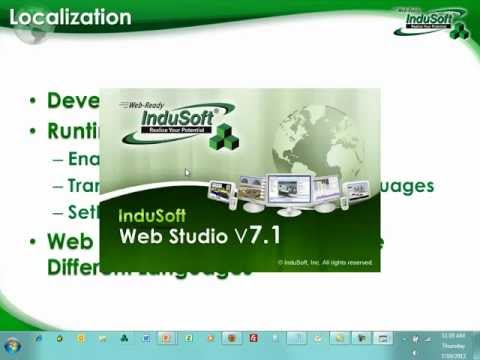
Indusoft Training – Translation

Development Environment Runtime Translation Table SetLanguage Function Web Thin Clients…

Watch Tutorial Video

Interoperability

Interoperability in Indusoft brings native integration with the Indusoft portfolio and a platform agnostic environment that makes it easy to integrate data sources and hardware from almost any vendor.

Mobility

Access your Indusoft applications from nearly any device. With HTML5-based web publishing and runtimes for Windows and Linux, it’s possible to monitor and control your SCADA or HMI application from smartphones, tablets, panel PCs and more.

Portability

Deployment is easy with Indusoft runtimes available for Windows or Linux. Develop your application once, then deploy it to Linux-based edge devices, PCs, industrial computers and more.

Selection Table

This package includes one Development license and one Runtime (SCADA) license, with support for one Thin Client connected to the runtime (Server). You can either install both licenses on the same station (Hardkey or Softkey) or split them in two different physical licenses (Hardkey and/or Softkey). InduSoft Web Studio development can generate applications for InduSoft Web Studio SCADA (Windows Desktop/Server), Embedded HMI (Windows Embedded Standard), Compact HMI (Windows Embedded Compact – formerly known as Windows CE), and IoT View (Linux) runtime editions. All license levels support an unlimited number of communication drivers (limited by operating system and hardware).

This package includes one Development Only license, with support for one Thin Client connected to the development station for testing purposes during the development of the project. InduSoft Web Studio development can generate applications for InduSoft Web Studio SCADA (Windows Desktop/Server), Embedded HMI (Windows Embedded Standard), Compact HMI (Windows Embedded Compact – formerly known as Windows CE), and IoT View (Linux) runtime editions. All license levels support an unlimited number of communication drivers (limited by operating system and hardware).

This package includes one Runtime license, with support for one Thin Client connected to the runtime station (Server). All license levels support an unlimited number of communication drivers (limited by operating system and hardware).

This package includes one Runtime license, with support for one Thin Client connected to the runtime station (Server). All license levels support an unlimited number of communication drivers (limited by operating system and hardware).

This package includes one Runtime license, with support for one Thin Client connected to the runtime station (Server). Mobile Access Thin Clients (HTML5) are not supported by this runtime edition. All license levels support an unlimited number of communication drivers (limited by operating system and hardware).

This package includes one Runtime license, with support for one Mobile Access Thin Client (HTML5) connected to the runtime station (Server). Web Thin Clients and Secure Viewer Thin Clients are not supported by this runtime edition. All license levels support an unlimited number of communication drivers (limited by operating system and hardware).

Thin Clients

Any runtime station supports natively one Thin Client connected to it. The following part number allows you to increase the number of thin clients concurrently connected to Server. Even though the limit imposed by the licensing system is 1000 concurrent Thin Clients, physical constraints such as network bandwidth, processing power, and memory may impose lower limits.

Miscellaneous and Addons

Method used to install the License. When ordering a HardKey, please indicate on the purchase order which software license(s) should be loaded on to the Hardkey. The prices below cover only the licensing method component (e.g.: the Hardkey hardware component). The prices below do not cover the actual software license itself, which should be purchased separately.

InduSoft Web Studio training courses

APIs for advanced users.

Add-ons to enhancement the development environment interface, adding specific functionalities to it.

Version Update (from an older version to a newer version)

Upgrade pricing is available for customers who want to update the license from an older license version to the latest version (same license level, i.e. tag count configuration). This fee is waived for licenses that are included in a currently valid (renewed) Software Maintenance plan (IND-ASMP-ST).

Upgrade pricing is available for customers who want to update the license from an older license version to the latest version (same license level, i.e. tag count configuration). This fee is waived for licenses that are included in a currently valid (renewed) Software Maintenance plan (IND-ASMP-ST).

Upgrade pricing is available for customers who want to update the license from an older license version to the latest version (same license level, i.e. tag count configuration). This fee is waived for licenses that are included in a currently valid (renewed) Software Maintenance plan (IND-ASMP-ST).

Upgrade pricing is available for customers who want to update the license from an older license version to the latest version (same license level, i.e. tag count configuration). This fee is waived for licenses that are included in a currently valid (renewed) Software Maintenance plan (IND-ASMP-ST).

Upgrade pricing is available for customers who want to update the license from an older license version to the latest version (same license level, i.e. tag count configuration). This fee is waived for licenses that are included in a currently valid (renewed) Software Maintenance plan (IND-ASMP-ST).

Upgrade pricing is available for customers who want to update the license from an older license version to the latest version (same license level, i.e. tag count configuration). This fee is waived for licenses that are included in a currently valid (renewed) Software Maintenance plan (IND-ASMP-ST).

Functional Upgrades (larger number of tags) within the same version

The following table provides the price to upgrade existing licenses to a higher level (support for addition tags) within the same version. In order to upgrade to more than one level above the existing license, cumulative upgrade packages can be purchased.

The following table provides the price to upgrade existing licenses to a higher level (support for addition tags). In order to upgrade to more than one level above the existing license, cumulative upgrade packages can be purchased.

The following table provides the price to upgrade existing licenses to a higher level (support for addition tags). In order to upgrade to more than one level above the existing license, cumulative upgrade packages can be purchased.

The following table provides the price to upgrade existing licenses to a higher level (support for addition tags). In order to upgrade to more than one level above the existing license, cumulative upgrade packages can be purchased.

The following table provides the price to upgrade existing licenses to a higher level (support for addition tags). In order to upgrade to more than one level above the existing license, cumulative upgrade packages can be purchased.

The following table provides the price to upgrade existing licenses to a higher level (support for addition tags). In order to upgrade to more than one level above the existing license, cumulative upgrade packages can be purchased.

Download


Start Using Indusoft SCADA Today!

Enable Notifications OK No thanks