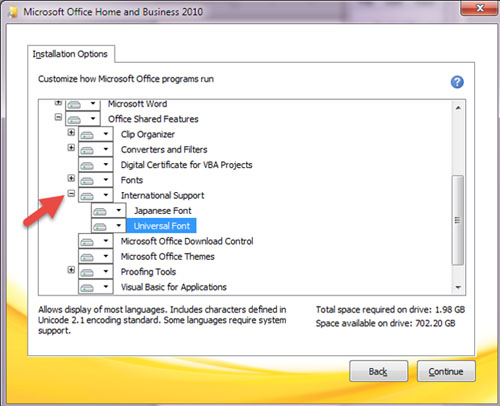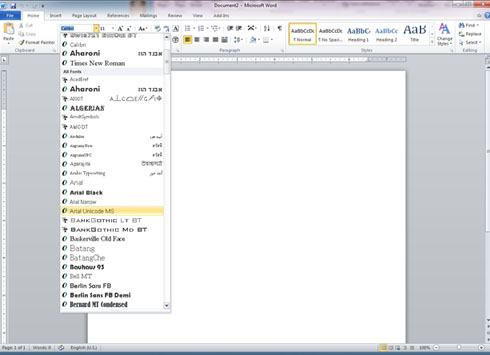
If you don’t have it, please follow below steps.
Step 1: Quit all programs
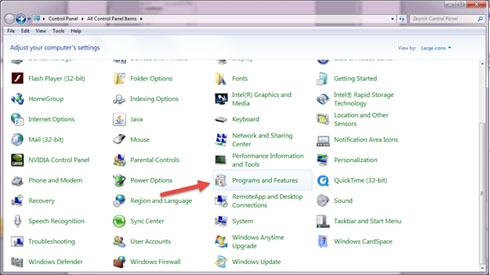
Step 2: In Control Panel, double-click the Add/Remove Programs icon
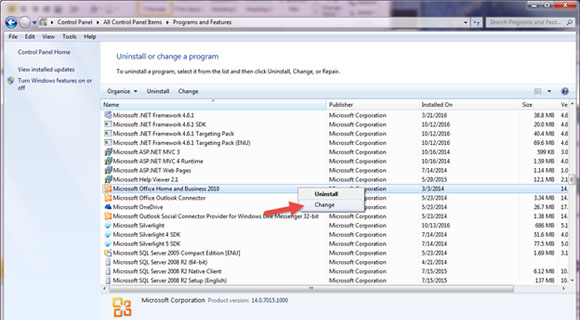
Step 3: click the name of your “Word” program in the Currently installed programs box, and then click Change. The
name may be “Microsoft Office …” or …
Step 4: In the Microsoft Office 2003 Setup dialog box, click Add or Remove Features, then click Next.
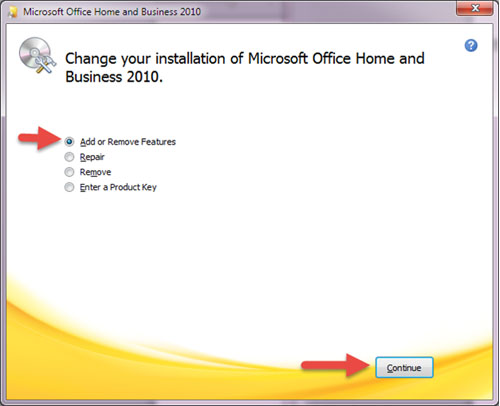
Step 5: Select Choose advance customization of applications, then click Next
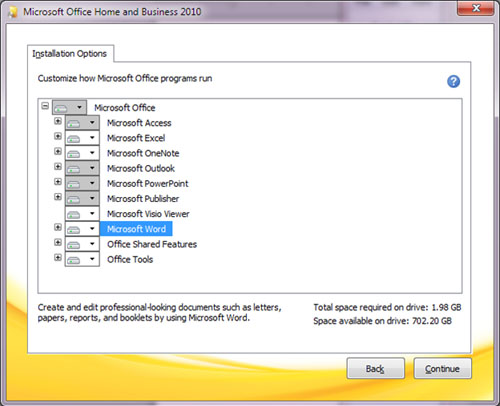
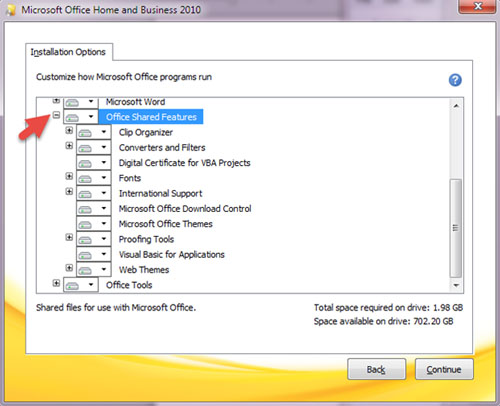
Step 6: On the left of “Office Shared Features”, click the plus sign “+”.
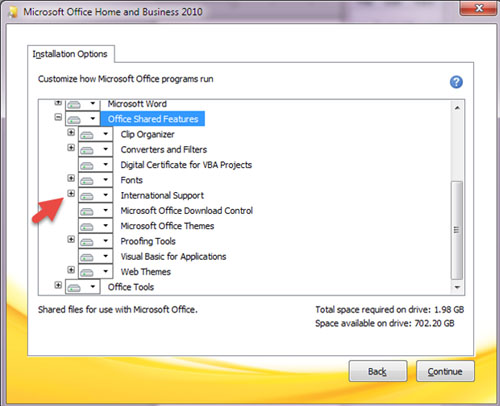
Step 7: On the left of “International Support”, click the plus sign “+”
Step 8: Click the icon next to Universal Font, and then select the installation option you want.