FREE $30.00 Visa Gift Card with CODE: VISA for registered customer's FIRST-TIME purchase.

Cage/NCage Code 3FNF0

Orders ship within a week!

About eLogger

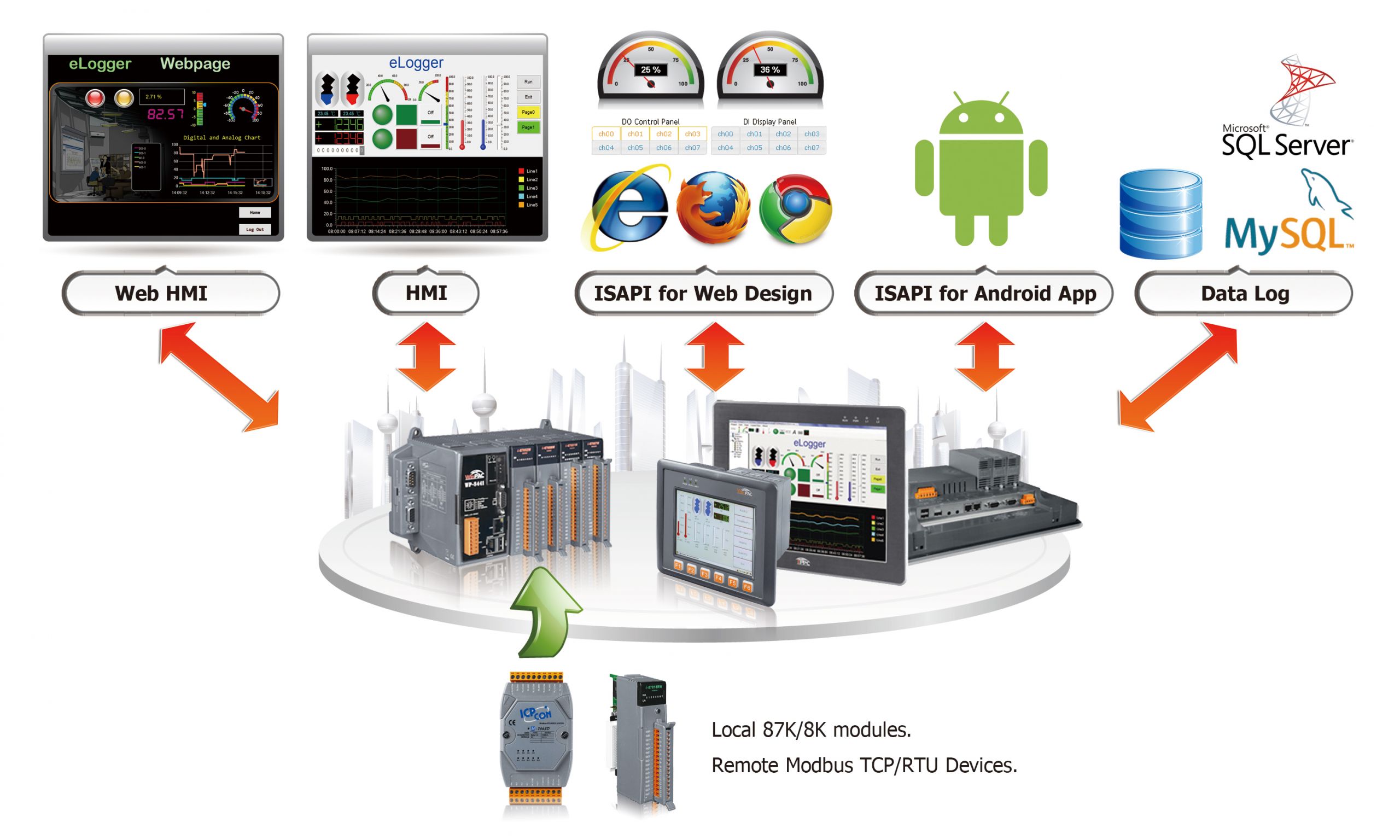
eLogger is an easy-to-use software to implement HMI, web GMI, and more on Windows PC for I/O monitoring and system control. The software is free for 30 tags in PC versions and 50 tags in PAC versions. The eLogger software develops projects with flexible I/O configuration that can be setup and completed in just 5 steps: I/O configuration, Data logger configuration, Designing HMI layout & web pages, Uploading project’s web pages to PAC or Windows PC, and Execution of project.
Fill out the form to get a Free eLogger Trial

Benefits & Features

eLogger software is PAC based runtime software designed for data logging, HMI, and control applications on ICP DAS PAC platforms.

eLogger is designed for PAC based data acquisition, HMI visualization, and control applications. It provides flexible communication, data logging, and runtime operation for industrial systems. Benefits include, but not limited to:


PAC based runtime for control, HMI, and data logging.

Integrates logic engines and HMI applications.

Local and remote data logging with database support.

Supports alarm and system event handling.
eLogger supports a wide range of different protocols, databases, connection, etc.
  • • Driver support for slot modules
  • • Supports Modbus RTU, Modbus ASCII, and Modbus TCP master
  • • Supports Modbus TCP server read and write
  • • MQTT client support
  • • Logic control via shared memory architecture
  • • Supports Win-GRAF, ISaGRAF, and Visual Studio .NET
  • • Runtime can operate in background mode without HMI
elogger handles individual module and work group configuration for flexibility
  • • HMI supports up to 32 pages
  • • Real time data trend with up to 5 lines per plot
  • • Local data log supports CSV format
  • • Remote database supports SQL Server 2005+ and MySQL
  • • Value scaling for engineering units such as RPM and kg
  • • Web page converter supports Chrome, Edge, Firefox, Safari, and Opera
  • • Three user access levels. Admin, power user, and user
eLogger offers 3 levels of account management: Admin, Power, User:
Admin
Power
User
Modify the project
Account management
Start/Stop projects
Set AO/DO values
Switching group pages
Enable Notifications OK No thanks